
Configure a proxy and verify its exit IP
Map each connection field to your client and verify the exit with one request.
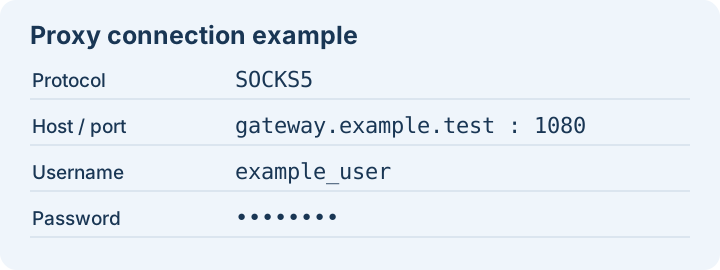
- Copy the connection details from your proxy list or residential generator. Keep the protocol, gateway, port, username and password together.
- Select the same protocol in your browser or application. Enter the gateway in the host field, the port separately, and the two credentials in their authentication fields.
- Open https://ipinfo.io/json through that connection. Check the returned IP and country. Later requests through a rotating residential connection can use a different IP.
- If the connection fails, check the protocol and port, then check that the credentials were copied in full. A residential traffic account also needs available traffic.